Simple Youtube Downloader for Mint (and various Debian derivatives)
I have been messing with this project for a long time. My debian version has gone through a lot of versions and it not as complicated, nor as capable, as one I found for Windows on Github. But, it’s not bad. Just horsing around I added some themes – actually simple backgrounds. It looks like this:

A few notes – features (purposely simple), bugs, etc.
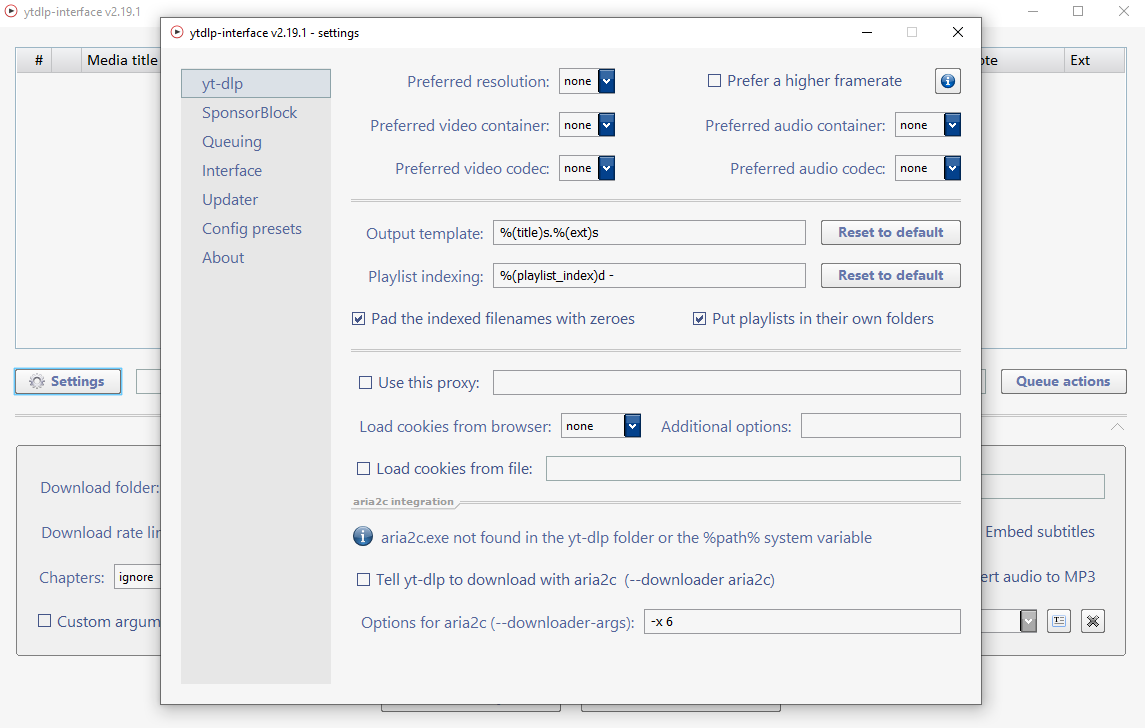
As noted above I found a Windows UI on Github that literally offers a user almost every option available from the command line. More about that further down this page. About my own UI for debian distros, two things:
- Yt-dlp has tons of features many of which I never use….
- My debian version was put together with the help of AI and was made intentionally simple – find a video, grab the URL, and download merging video and default audio.
An occasional ‘Permission Denied’ error
At this point about the only real bug in this thing is a rare, ‘Permission Denied’ error which you’ll see in the logging area. However, I’ve found that this can be circumvented by ticking the ‘Best Quality’ tick box. However, this does download a large version of the file (which, obviously, can be re-sized to suit your needs using something like Handbrake).
Features
This thing is pretty intuitive and a comprehensive user guide is included when you install the .deb file. As I’ve said, this was made purposely simple. Here’s a quick overview:
- Download from YouTube and many other sites — just paste a link, pick a quality, and go
- See available formats before downloading and choose the one you want
- Best Quality mode — a one-click fail-safe that grabs and merges the best video and audio automatically
- Automatic audio merging — always pairs your chosen video with the best matching audio, no extra steps
- Update yt-dlp built in — keep the download engine current with a single click
- Chrome Mode for sites that expect a real browser
- Smart Filter to trim the format list down to the useful options
- English audio preference when a video offers multiple languages
- Simple wget mode for direct file links
- Playlist support with an optional limit on how many items to grab
- Fix Long Filenames option for sources that generate overly long titles
- Choose your save folder — Videos, Downloads, Desktop, or browse to any location
- Five themes (Light, Dark, Flowers, Lunar Dunes, Astral)
- Built-in Docs button that opens the full user guide
- Linux-friendly — packaged as a simple .deb install
About the code
I mentioned I used AI to build this – I am not a coder, at all. The UI is written in python and when the .deb is installed you can find the build files at /usr/share/yt-dlp/build_files. The build script includes the path to my own desktop (eg. “cd /home/guy/Desktop/REBUILD”) and you can edit this to reflect wherever you’re working…should you choose to tinker.
Downloads
I use Linux Mint as my daily driver…my everyday desktop. The UI relies on some common python packages (python3-tk, python-tk, etc.) that vary from distro to distro. Therefore choose a download that is right for your system.
Download Version 3.0.8 for Mint 20
Windows Versions – mine, and, others
‘Yt-dlp Interface’ – A Truly Full Featured, Professionally Coded UI
If you want a graphical substitute for the command line version of Yt-dlp – and you’re running Windows 10 or Windows 11 – this is an awesome UI. This is obviously the work of a professional programmer, really the ultimates point-and-click version of Yt-dlp. This UI has too many features to mention. It can be downloaded from Github (the Github account is ‘ErrorFlynn’) and runs as a portable app. In other words the zip file, when unarchived, is just a directory or folder and a user can simply double-click the ytdlp-interface.exe file and it runs – that’s it.